
I thought this "thing" was rather interesting. Being able to edit others' thoughts and such was fun. I felt like a little kid, changing mom's font and size on her work newsletter:) I decided to add my post for thing Fourteen because I completed thing fourteen recently and I really enjoyed it. I deleted alot of people's pictures! hehehe:) Wiki's are rather fun. I also deleted alot of random sentences in people's paragraphs so that they do not make sense :) This goes to show why our professors are always telling us that wikipedia is not a valid resource. People can be mischievious and just TRY to delete/change/misprint information! Wiki's would be a good idea for students to collaborate about everything they learned in a course. If once a week every child had to go onto the wiki and add two things they learned that week, it could improve collaboration and assess what the children are retaining and what they are not.
Friday, March 16, 2012

FOURTEEN:)
I chose to explore the Bubbl.us and the Gliffy sites. I really like the Bubbl.us because it's great for getting ideas together for any event. Things I could use this for personally are: to do list, party organizer, organizer for family events, and organizing events to talk about at work. Educationally, Bubbl could be used for children to interact with technology while creating an organizer for: an essay, a group project, and ideas for school events. I think the students would really enjoy interacting with this website instead of drawing a circle on paper and writing in it. I also liked the Gliffy site. I really liked this site because of the floor plan application! This is amazing for personal use! Also, it would be a great application for upcoming teachers to organize how they would like to have their classroom. Students could collaborate with one another to express how they would like the classroom to be set up as well. The floorplan application on Gliffy is definitely my favorite part of thing fourteen:)
Thursday, March 15, 2012
THiRTEEN
I think the Zoho writer tool is amazing! It is almost an exact replica of Microsoft Office word. People pay tons of money every year on new Microsoft Software for the up and coming desktop, laptop, ipad, and tablets. Yet, here is this online (accessible from anywhere with internet), FREE, tool! I am amazed that something like this exists.
Here is the drawing I created on Google Documents: cjkm
I like the google documents drawing app. Students could use the scribble tool to draw out math problems for each other. Tutoring sessions could be online rather than in home. Also, the documents, presentations, etc could be used for group projects. The inconvience of staying after school or making another trip to school would no longer exist. Google Docs makes it easy to share and collaborate! I personally liked Google Docs better. This had more apps then the Zoho. Zoho did not have presentations, forms, or spreadsheets. They did have the writer though. The calendar and lists are not all that helpful for me because I carry a planner for myself. But, if I was already teaching in a school I guess it would be helpful to post meetings and share materials etc. Altogether, I love these online, free applications, and I am STILL amazed that they exist... being free!
Here is the drawing I created on Google Documents: cjkm
I like the google documents drawing app. Students could use the scribble tool to draw out math problems for each other. Tutoring sessions could be online rather than in home. Also, the documents, presentations, etc could be used for group projects. The inconvience of staying after school or making another trip to school would no longer exist. Google Docs makes it easy to share and collaborate! I personally liked Google Docs better. This had more apps then the Zoho. Zoho did not have presentations, forms, or spreadsheets. They did have the writer though. The calendar and lists are not all that helpful for me because I carry a planner for myself. But, if I was already teaching in a school I guess it would be helpful to post meetings and share materials etc. Altogether, I love these online, free applications, and I am STILL amazed that they exist... being free!
Thursday, February 23, 2012
Thing 12
I love the calendar option on google! How neat. I didn't put any personal stuff on it, however, I put a little bit of stuff on it. My thursdays are crazy. I think I will definitely make my own calendars from now on to keep track of my dates and appoinments. View my calendar here. I also enjoyed iGoogle. It gives you weather, and a lot of examples of your interests. For example, I chose that I am interested in cooking, so on my iGoogle page I have a "Recipe of the Day" section. I also chose that I am interested in games. Therefore, I also have a games box on my iGoogle page. You can add gadgets to your iGoogle page as well. It's like having all of the things you frequently look at, all in one place. It's pretty awesome and I plan to use it more often.
Thing 11
I thought searching for feeds through the google search was easiest, however, I like searching for the feeds by just browsing because it gives me more of a wide variety of things to subscribe too. I thought the topix.net was a little harder to navigate through. I found a variety of useful feeds during my exploration. I found educational feeds related to middle school math, which I will be teaching. I subscribed to nctm.org. On the other hand, I also found some good parenting feeds for good ideas for daily ideas for your children to learn while playing and feeds that keep you up to date on new parenting techniques. I just googled a subject area and then news feed to find a news feed that I was interested in.
Thursday, February 9, 2012
Thing 10
I had a hard time finding out how to subscribe to different things at first. However, quickly I found that there is a subcribe search bar at the top left of the screen where you search for things. I subscribed to two different cites for math applications that can be used in the classroom, Pioneer woman :), Cool Cat Teacher, and a cite for women's health and beauty! I like RSS because I can put all of my favorite things to read in one place. This is a great way to organize resources to use in the classroom and stay up to date on new teaching strategies. Teachers could all subscribe to websites that correlate to the material they teach. Staying up to date on new teaching strategies, classroom management strategies, and strategies to modify your lessons towards different learning strategies can continually improve a teacher's efficacy.
Friday, February 3, 2012
Thing 9
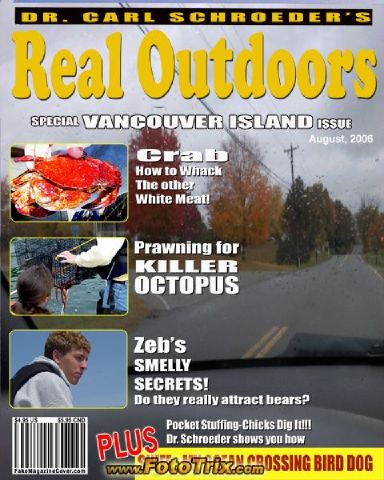


I chose a magazine cover, an overlying effect and a border! I used two different photos. I took the first photo of some trees near my house. The second photo is a picture of my dog on a sunny day. This experience of manipulating pictures was much easier than just uploading one from flickr! I think these would be useful to take picutures of your students and put a crayon border around it as a class photo kept in class or to help them explore technology. For personal uses, I could use these different programs to help make my pictures look more creative! I scrap book as a hobby so this activity was very interesting for me!
I created these images at fototrix!
Subscribe to:
Posts (Atom)